speed test5 min
Speed Tests: Download, Upload, Ping, Jitter
Learn how browser speed tests measure transfers, why results vary, and how to run repeatable comparisons without treating one result as an ISP guarantee.
Read more→Check the public IP visible to websites, your ISP and approximate location, then measure download, upload, ping and jitter. Free, with no sign-up.
Processing: uses an external service
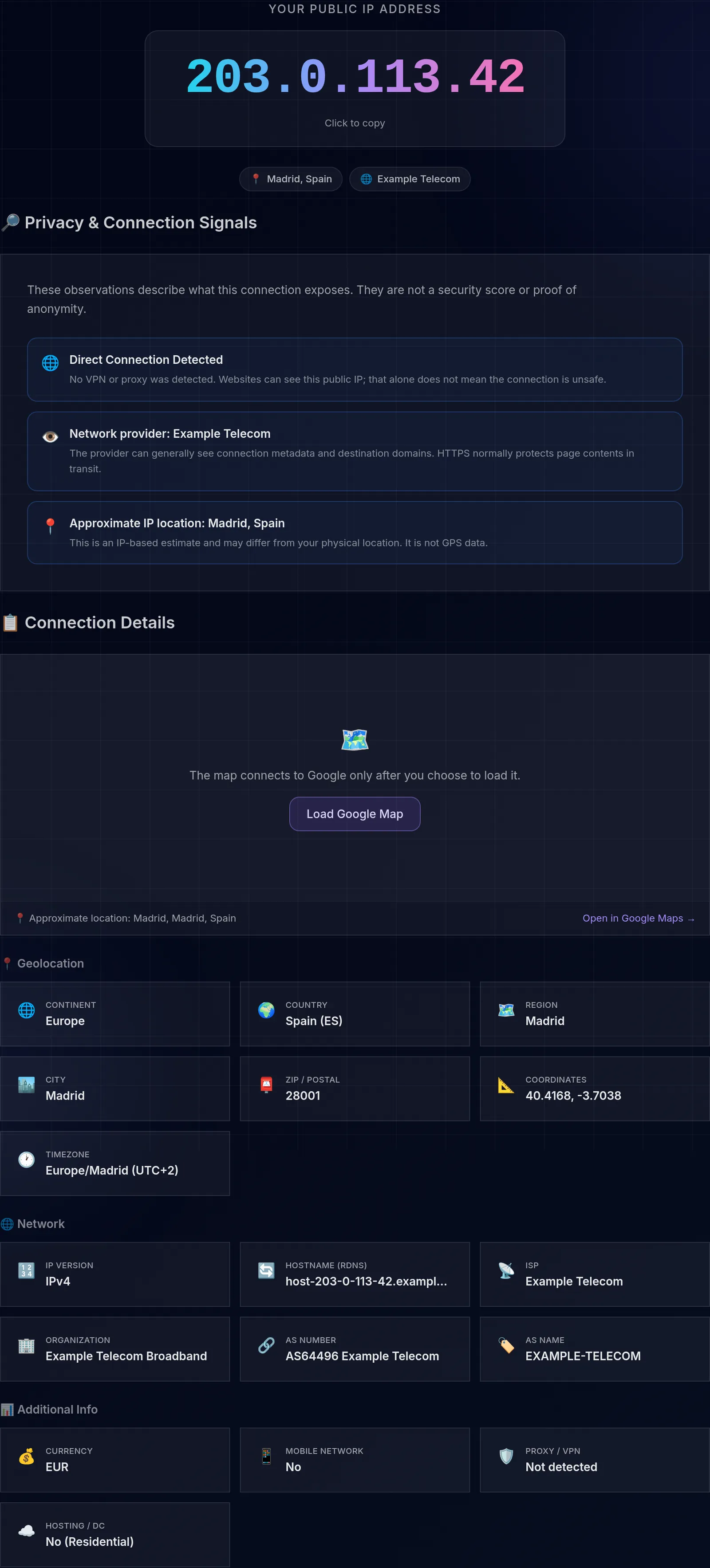
This IP test shows the public address visible to websites, approximate geolocation, and Internet Service Provider (ISP), lets you run an internet speed test, review connection privacy signals, and inspect browser-visible data. It cannot read the private address assigned by your router. Everything is on one page, free, with no sign-up.
An IP address identifies an interface or connection on a network; several devices may share one public address through NAT. There are two versions: IPv4, formatted like 192.168.1.1, and IPv6, with a longer format like 2001:db8::1. Your public IP address is what websites and online services see when you connect, and it reveals information such as your approximate location and your ISP.
A shared address can represent multiple customers through carrier-grade NAT; a dedicated address is reserved for one connection or service. A dynamic address may change over time, while a static address remains fixed by agreement with the provider. One lookup cannot prove which arrangement you have: confirm it with your ISP or compare documented observations over time.
Checking the visible address can help verify VPN routing, identify your ISP, inspect estimated geolocation, and diagnose network issues like latency or speed. It is also useful for confirming that your connection is properly routed.
Read the guide to public and private IP addresses to find the internal address on Windows, macOS, Linux, or mobile and understand when a public IP may be shared.
The combination of system, screen, language, and time zone can contribute to an identifiable fingerprint, but this page does not measure its uniqueness. A VPN changes the address visible to the destination and shifts trust to its provider; it does not prevent other tracking by itself. The observations explain the public IP, routing, and approximate geolocation; they are not a security audit or proof of anonymity.
Most connections today run dual-stack: they use IPv4 and IPv6 at the same time, and the browser picks one or the other depending on the destination. That is why you may see a long IPv6 address on one site and a classic IPv4 on another. IPv4 ran out years ago, so many providers share a single public address among several customers through CGNAT; IPv6, with its huge space, usually assigns addresses without that sharing. If you see an IPv6 address here, your connection already supports it; if you see only IPv4, your network or the destination does not use IPv6 yet.
IP geolocation relies on databases that map address ranges to a city or region, not on GPS. It usually gets the country right and approximates the city, but it can point to the provider's hub instead of your real location, especially with CGNAT, mobile networks, or reassigned addresses. A VPN or proxy shows the intermediary server's location, not yours. Treat the result as an estimate: it is useful for diagnostics and routing, not for pinpointing a person.
Learn more with related in-depth guides and tutorials.
Learn how browser speed tests measure transfers, why results vary, and how to run repeatable comparisons without treating one result as an ISP guarantee.
Read more→Understand what your public IP reveals, how private address ranges work, and why IP geolocation is approximate rather than an identity check.
Read more→Use provenance, real file type, hashes, macros, and malware scanning as layers of evidence—without mistaking a clean result for proof of safety.
Read more→Your Public IP Address
Ready