Markdown Editor & Preview
Free Markdown editor with real-time live preview. Export to HTML, supports GFM tables, code blocks, lists & more. No sign-up required, 100% browser-based.
Processing: local in your browser
Free Online Markdown Editor with Live Preview
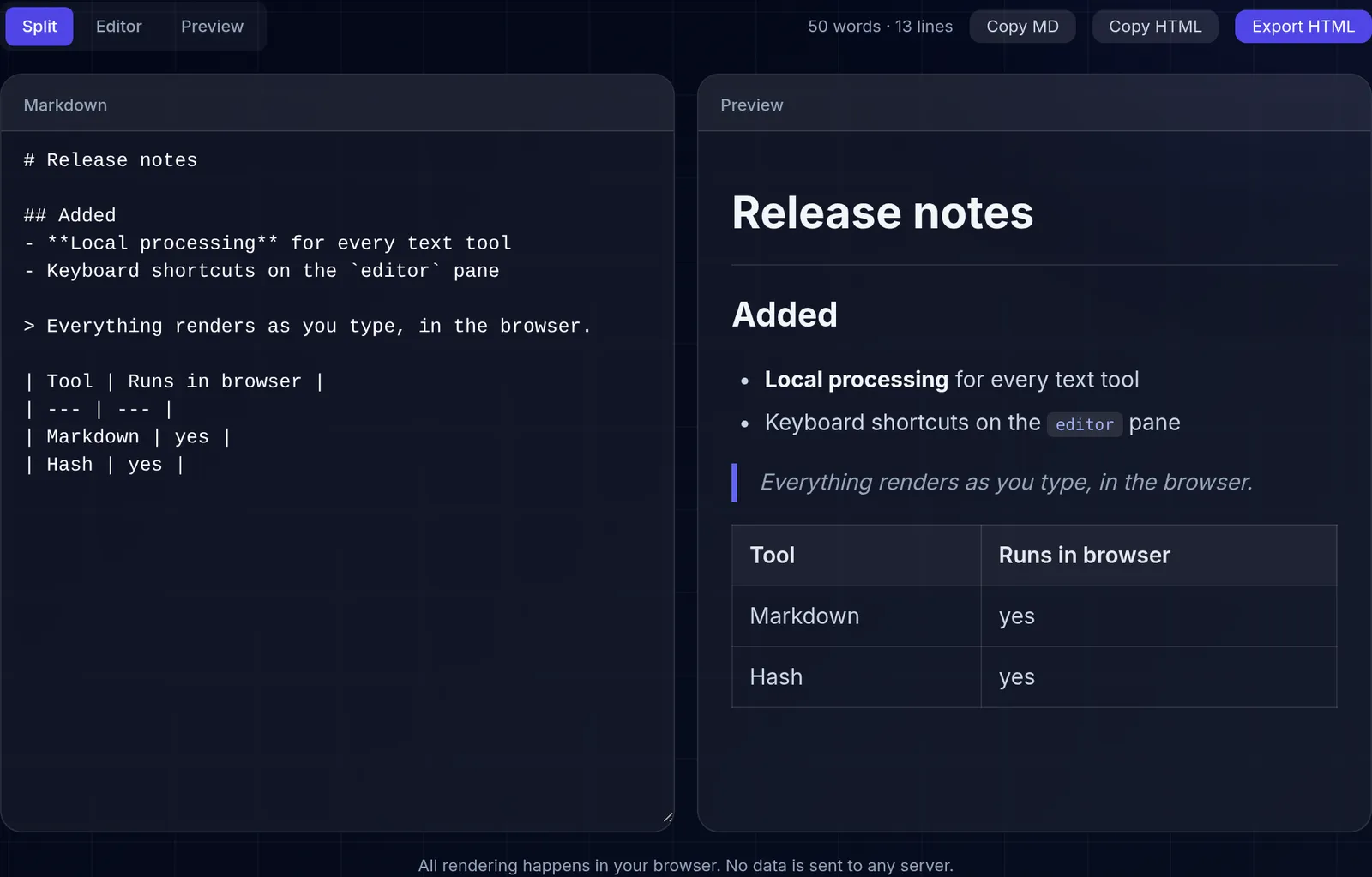
Write and edit Markdown with real-time preview, side by side. Supports the full GitHub Flavored Markdown (GFM) specification, including tables, code blocks with syntax highlighting, nested lists, links, images, and more. No sign-up or installation needed - works 100% in your browser.
What is Markdown
Markdown is a lightweight markup language created by John Gruber in 2004. It allows you to write formatted text using a simple, readable syntax: # for headings, ** for bold, * for italic, - for lists, and [text](url) for links. It is the standard format on GitHub, Stack Overflow, Reddit, Discord, and many more platforms.
Our Editor Features
Live preview that updates as you type, full GFM table support with column alignment, code blocks with syntax highlighting for over 100 languages, task lists with checkboxes, and export to clean, semantic HTML with a single click.
Use Cases
Ideal for writing technical documentation, GitHub READMEs, blog posts, class notes, formatted emails, and any content that needs structure without the complexity of a word processor. Copy the generated HTML directly into your CMS or publishing system.
Essential Markdown Syntax
The basic syntax covers almost everything you need day to day. Use hash marks for headings (# for level 1, ## for level 2, and so on), two asterisks for bold and one for italic. Bulleted lists start with a hyphen and numbered lists with a number followed by a period. A link is written with the text in square brackets and the URL in parentheses, and an image is the same but with an exclamation mark in front. Inline code goes between backticks and code blocks between triple backticks.
GitHub Flavored Markdown (GFM)
GFM extends classic Markdown with elements widely used in documentation and repositories. It adds tables with columns separated by vertical bars, task lists with checkable boxes, strikethrough text between double tildes, and automatic conversion of URLs into links. It also recognizes code blocks labeled with a language name to apply syntax highlighting. Our editor supports this full specification and shows the result live as you type.
A worked example
Frequently Asked Questions
- What is Markdown?
- Markdown is a lightweight markup language that lets you format text using simple syntax. It's widely used on GitHub, technical documentation, blogs, and notes.
- Does the editor support tables?
- Yes, it supports GFM (GitHub Flavored Markdown) tables, code blocks with syntax highlighting, lists, links, images, and more.
- Can I export to HTML?
- Yes, you can copy the generated HTML or export as a complete HTML file with included styles, ready to use on your website.
- Is my data saved on any server?
- No, all processing happens in your browser. Your Markdown text is never sent to any server.