Text Tools
Free online text tools: word counter, case converter, Lorem Ipsum generator, duplicate remover, Base64 and URL encoder/decoder. Fast and private. Try free.
Processing: local in your browser
Free Online Text Tools
Complete suite of text utilities: word and character counter, case converter, Lorem Ipsum generator, duplicate remover, Base64 and URL encoder/decoder.
All tools work directly in your browser. Your text is never sent to any server.
Included tools
Word/character/sentence/paragraph counter, UPPERCASE, lowercase, Title Case, camelCase, snake_case, kebab-case, Lorem Ipsum, deduplication, Base64 and URL encode/decode.
When to Use Base64 Encoding
Base64 is an encoding system that converts binary data into ASCII text, allowing binary information to be transmitted through text-only channels. The most common use cases include embedding small images directly in HTML or CSS via data URIs, sending email attachments (MIME encoding), storing binary data in JSON or XML, transmitting authentication tokens in HTTP headers, and saving data in browser cookies or localStorage. Keep in mind that Base64 is not encryption: anyone can decode the content, so it should never be used to protect sensitive information like passwords.
Case Conversion Standards
Naming conventions are fundamental in programming and professional writing. camelCase (words joined with the first word lowercase and subsequent words capitalized, like myVariable) is the standard in JavaScript and Java for variables and functions. PascalCase (same as camelCase but with the first letter also capitalized, like MyClass) is used for class names in most languages. snake_case (words separated by underscores in lowercase, like my_variable) is the predominant convention in Python and Ruby. kebab-case (words separated by hyphens, like my-component) is used in URLs, CSS file names, and web components. UPPER_CASE with underscores is the standard for constants in most languages. Our converter transforms your text between all of these formats instantly.
Counting Words and Characters
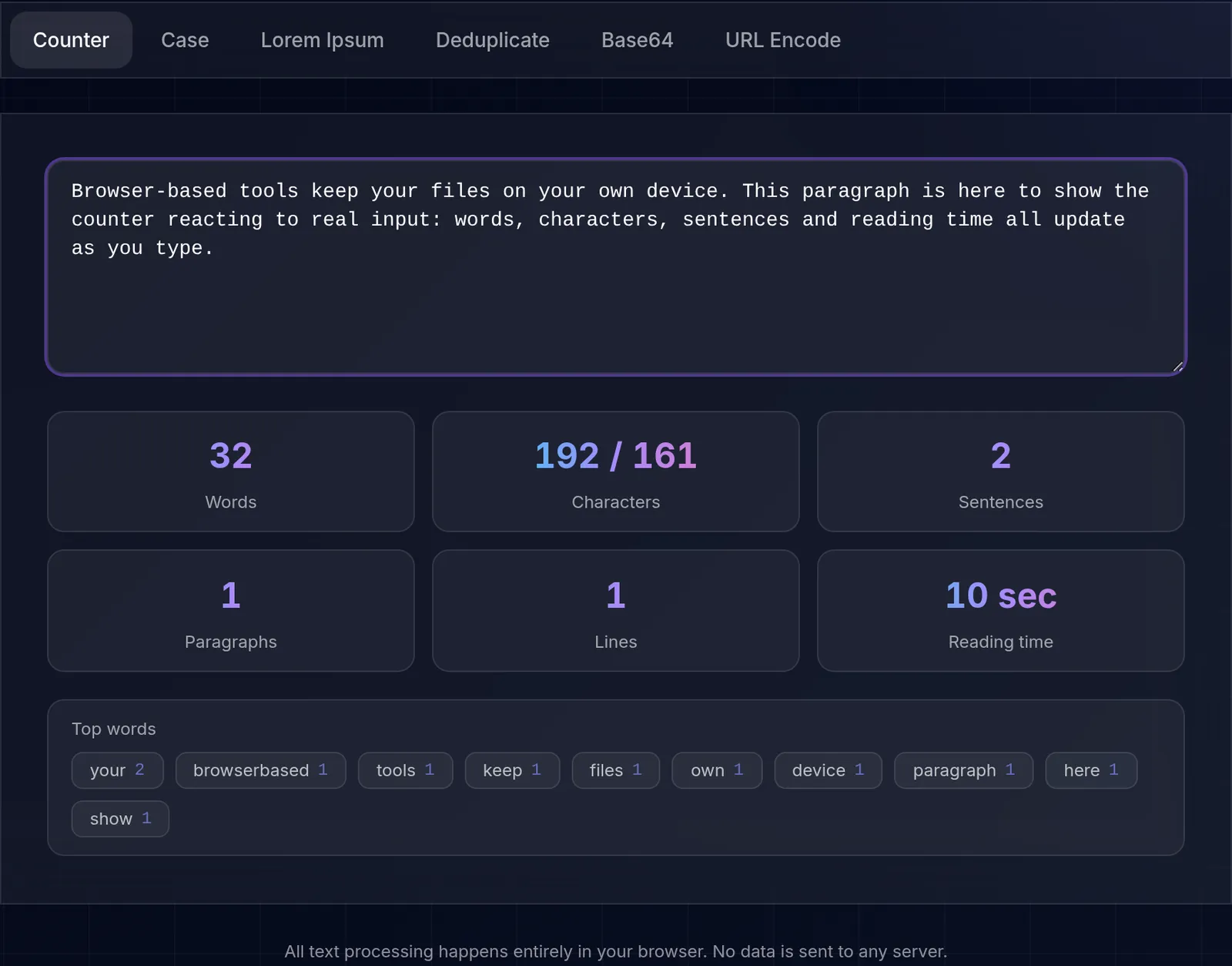
Knowing how many words or characters a text has is useful in many contexts with strict limits: a meta description for SEO is around 155 characters, a tweet has its own cap, and many academic assignments require a minimum word count. The counter updates words, characters, sentences, and paragraphs as you type, so you can adjust length without leaving the tool. Keep in mind that a character count may or may not include spaces depending on what you need to check.
Removing Duplicate Lines
Removing repeated lines helps clean up email lists, logs, keywords, or any dataset pasted from several sources. The tool compares line by line and keeps only the first occurrence of each, leaving a unique list while preserving the original order. It is handy before importing data into a spreadsheet or counting the genuinely distinct items, without the noise of repeats.
A worked example
Frequently Asked Questions
- What text tools are included?
- Word counter, case converter, Lorem Ipsum generator, duplicate remover, Base64 encoder/decoder, and URL encoder/decoder.
- Is my text sent to any server?
- No, all processing happens locally in your browser. Your text never leaves your device.
- Is there a text length limit?
- No practical limit. The tools work with text of any length.
- Is it free?
- Yes, all text tools are 100% free with no limitations.