QR code usage has exploded by 433% since 2021, transforming these simple black-and-white squares into one of the most powerful bridges between the physical and digital worlds. Whether you are a marketer, small business owner, or just someone who wants to share a WiFi password, understanding QR codes is more relevant than ever.
What Is a QR Code and How Does It Work?
QR codes, short for Quick Response codes, are two-dimensional barcodes that store information in a grid of black and white squares. First invented in 1994 by Denso Wave, a subsidiary of Toyota, they were originally designed to track automotive parts on assembly lines. Today, QR codes are everywhere: on restaurant menus, product packaging, concert tickets, business cards, and digital marketing campaigns.
Unlike traditional one-dimensional barcodes that hold only about 20 digits of numeric data, a QR code can encode up to 7,089 numeric characters or 4,296 alphanumeric characters. This generous capacity allows them to store URLs, plain text, contact information, WiFi credentials, geographic coordinates, and much more. When you point your smartphone camera at a QR code, the device reads the pattern of modules, applies error-correction algorithms (Reed-Solomon codes), and decodes the embedded data almost instantly.
Static vs. Dynamic QR Codes
Understanding the difference between static and dynamic QR codes is essential before you create one for any project.
Static QR Codes
A static QR code encodes data directly into the pattern itself. Once generated, the information cannot be changed. If you encode a URL and later want to point to a different page, you must generate an entirely new code. Static codes are ideal for permanent labels, printed materials with fixed content, or personal projects where you do not need tracking. They also work offline because the data is self-contained.
Dynamic QR Codes
A dynamic QR code does not contain the final destination directly. Instead, it points to a short redirect URL managed by a QR platform. This means you can change the destination at any time without reprinting the code. Dynamic codes also enable scan analytics: you can track how many times the code was scanned, where the scans occurred, what devices were used, and at what time. For marketing campaigns, event management, and business operations, dynamic codes provide the flexibility and data you need.
Common Use Cases for QR Codes
Marketing and Advertising
QR codes bridge the gap between physical and digital marketing. Print a QR code on a billboard, flyer, or product label and direct customers to a landing page, promotional video, or discount coupon. Because you can track scan rates, you gain measurable data on how well your offline media converts.
WiFi Sharing
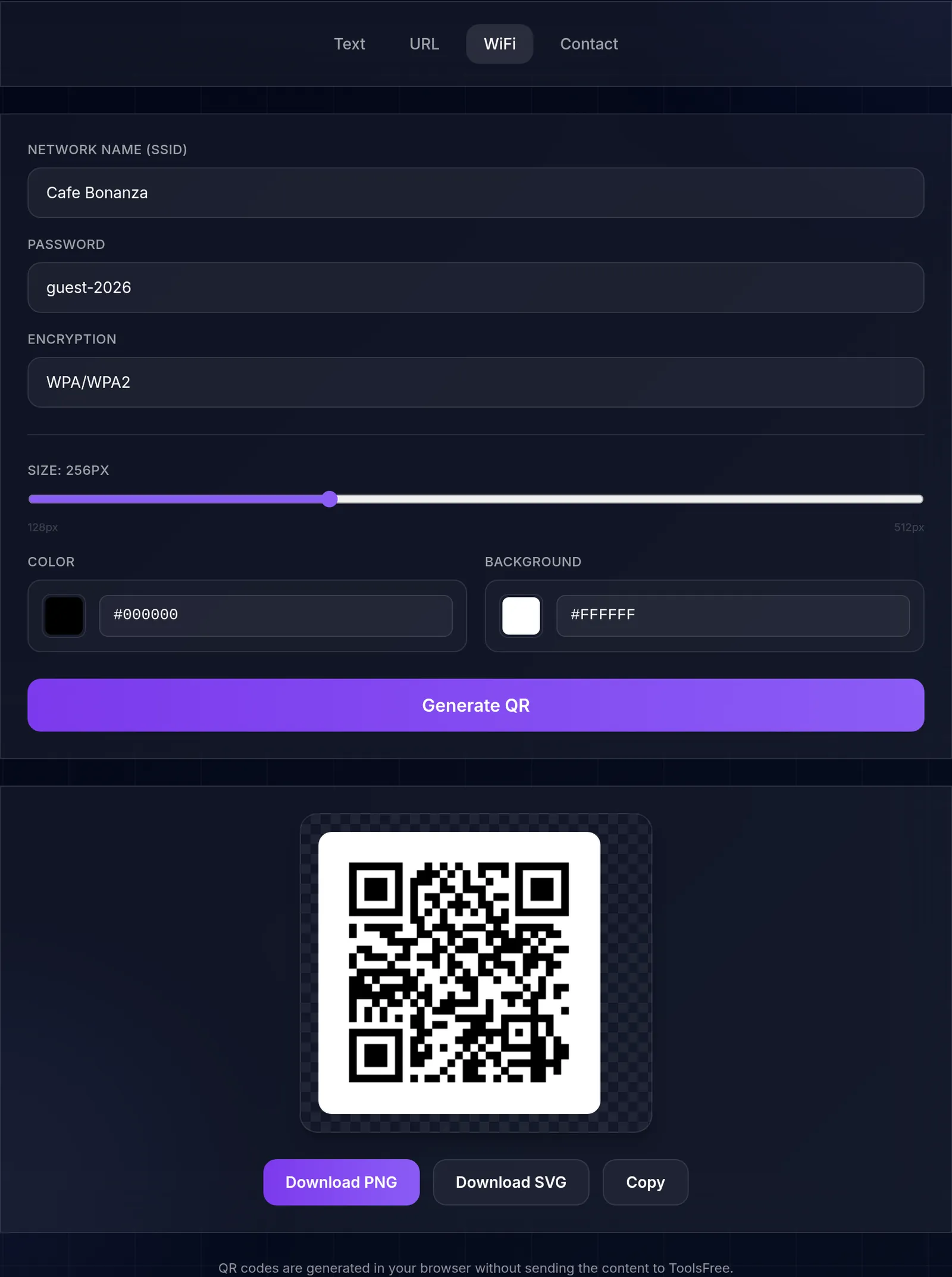
Instead of spelling out a complex WiFi password, generate a QR code that automatically connects devices to your network. This is particularly useful for cafes, coworking spaces, hotels, and home guests. The code encodes the network name (SSID), encryption type, and password in a standardized format that Android and iOS both recognize.
vCards and Contact Sharing
A vCard QR code stores contact information such as name, phone number, email, company, and address. When scanned, the phone prompts the user to save the contact directly to their address book. Digital business cards with QR codes are increasingly popular because they reduce paper waste and never run out.
Payments and Ticketing
Mobile payment platforms like Apple Pay, Google Pay, and many regional systems use QR codes for contactless transactions. Airlines use QR codes on boarding passes, and event organizers rely on them for ticket validation. The speed of scanning makes QR codes an efficient alternative to manual entry.
How to Create a QR Code with ToolsFree.io
Creating a QR code has never been easier. With our free QR code generator, you can produce high-quality codes in seconds, entirely in your browser with no data uploaded to any server. Simply choose the type of content you want to encode (URL, text, WiFi, vCard, or email), enter your information, and download the resulting image.
Because the generation happens client-side, your data stays private. There is no account required, no watermark added, and no limit on how many codes you can generate. The tool outputs PNG images at a resolution suitable for both screen display and print.
Customizing Your QR Code
While a standard black-and-white QR code works perfectly, customization can improve brand recognition and visual appeal. Here are the key aspects you can customize:
Foreground and background colors: Change the default black modules to match your brand palette. Ensure sufficient contrast between the foreground and background for reliable scanning. A common mistake is using two colors that are too similar, which causes scanners to fail.
Size and resolution: For print, generate your QR code at a minimum of 2 cm x 2 cm (about 0.8 inches). For billboards or signage viewed from a distance, scale up proportionally. A good rule is that the scanning distance is roughly ten times the width of the code.
Error correction level: QR codes support four error correction levels: L (7%), M (15%), Q (25%), and H (30%). Higher error correction allows the code to remain scannable even if part of it is obscured or damaged. If you plan to overlay a logo on the center of your QR code, use level H.
Logo overlay: Many brands place their logo in the center of the QR code. This works because the high error correction level compensates for the obscured modules. Keep the logo small (no more than 20-30% of the code area) and always test scannability.
When choosing colors for your QR code, keep in mind that the foreground must always be darker than the background. If you need help selecting the right color combination, our Color Tools can help you find complementary colors with sufficient contrast. If you are placing QR codes on printed materials with images, consider compressing those images first using our image compression guide to keep file sizes manageable.
For QR codes that encode long URLs, use a URL shortener first to reduce the data density. Fewer characters mean a simpler QR pattern, which is more tolerant of printing imperfections and easier to scan from a distance. This is especially important for codes printed on small surfaces like business cards or product labels.
Best Practices for QR Codes
Always test before printing. Scan your QR code with multiple devices and apps before committing to a print run. Different cameras and lighting conditions can affect readability.
Provide context. A naked QR code on a poster without any explanation will get fewer scans. Add a short call-to-action like "Scan for 20% off" or "Scan to connect to WiFi" so people know what to expect.
Maintain a quiet zone. The white border around a QR code (called the quiet zone) is critical for scanners to detect the code boundaries. Never crop it or place graphics too close to the edge.
Use HTTPS URLs. If your QR code points to a website, use HTTPS to ensure a secure connection. Modern browsers warn users about insecure HTTP pages, which can erode trust.
Consider accessibility. Not everyone can scan a QR code. Always provide an alternative way to access the information, such as a short URL printed next to the code.
Optimize the landing page for mobile. The vast majority of QR code scans happen on smartphones. Make sure the page your QR code links to is fully responsive, loads quickly, and provides a seamless mobile experience. A slow or poorly formatted mobile page will undo the convenience of the QR code.
Use QR codes for password-free WiFi access. Instead of printing your WiFi password on a sign (which anyone can photograph), generate a WiFi QR code. Guests scan it to connect automatically, and you can change the password and regenerate the code whenever needed. Generate a strong WiFi password with our Password Generator before creating the QR code.
Tracking and Analytics
If you use dynamic QR codes through a dedicated platform, you gain access to scan analytics. You can measure total scans, unique scans, geographic distribution, time-of-day patterns, and device types. This data is invaluable for evaluating the ROI of printed materials. For example, if you place QR codes on flyers distributed in three neighborhoods, you can compare scan rates to determine which area responded best.
Even with static QR codes, you can gain basic analytics by encoding a URL with UTM parameters. Append parameters like ?utm_source=flyer&utm_medium=qr&utm_campaign=spring2026 to your URL, and your web analytics platform will attribute the traffic correctly.
Start Creating QR Codes Today
QR codes are a powerful, versatile tool that connects the physical world to digital content. Whether you are running a marketing campaign, sharing WiFi credentials with guests, or distributing your contact information, a well-designed QR code does the job quickly and reliably. Head over to our QR Code Generator to create your first code in seconds, free and private.