JSON10 min
JSON Format: Syntax, Errors, and Safe Use
Learn JSON's actual grammar, diagnose common parser failures, and format or inspect data locally without confusing syntax validation with schema validation.
Read more→Free online JSON formatter: format, minify, validate, and explore JSON data with tree view and syntax highlighting. Fast, private, no sign-up needed. Try now.
Processing: local in your browser
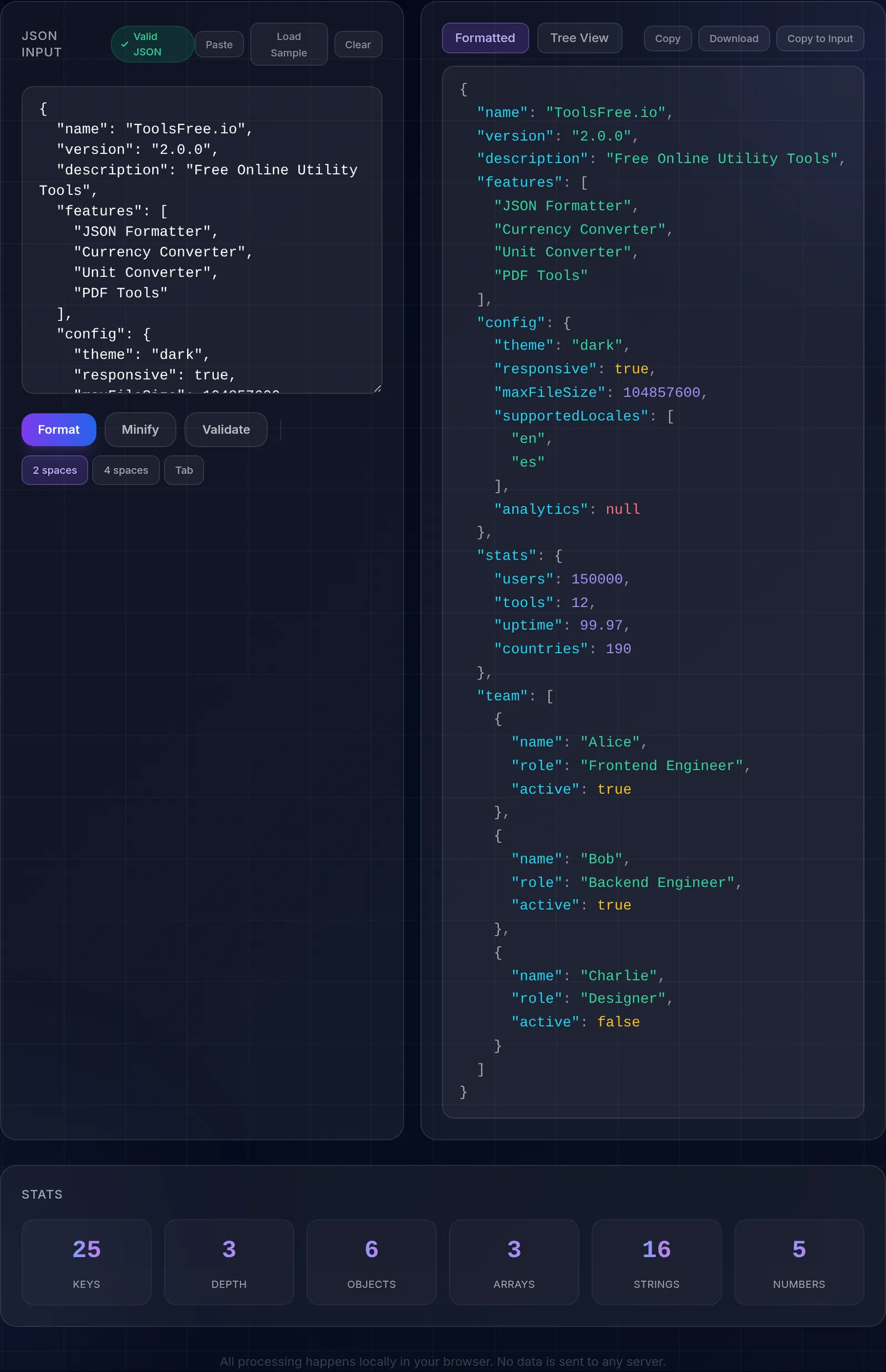
Format, minify, validate, and explore JSON data with syntax highlighting and interactive tree view. Detect errors with precise line numbers.
The JSON is processed in your browser without sending it to ToolsFree. Remove secrets before pasting sensitive configuration.
Pretty print with configurable indentation, minification, validation with detailed errors, collapsible tree view, JSON statistics, download and copy.
Working with JSON can be frustrating when hard-to-find syntax errors appear. The most common issues include trailing commas: unlike JavaScript, JSON does not allow a comma after the last element of an array or object. Single quotes are also invalid in JSON; all strings and keys must use double quotes. Forgetting to quote object keys is another frequent mistake, since JSON requires all keys to be quoted strings. Unescaped control characters inside strings, such as literal newlines or tabs, also cause errors; they must be written as \n and \t respectively. Our validator detects all of these issues and shows the exact line number where the error is located.
JSON and XML are the two most widely used formats for structured data exchange. JSON stands out for its lightweight and readable syntax, native integration with JavaScript, smaller file sizes, and ease of parsing. It is the standard format for REST APIs, modern application configurations, and data storage in NoSQL databases like MongoDB. XML, on the other hand, offers support for more powerful validation schemas (XSD), namespaces, comments, and element attributes. It remains widely used in SOAP services, document formats like SVG and XHTML, and in industries with established XML standards such as banking (ISO 20022) and healthcare (HL7). In general, if you are building a modern web API or storing configurations, JSON is the better choice. If you need strict schema validation or work with legacy enterprise standards, XML may be more appropriate.
Formatting (pretty printing) adds indentation and line breaks so JSON is easy to read and debug; minifying does the opposite, stripping every unnecessary space to reduce size. In production it is best to send minified JSON over the network, because it weighs less and travels faster, while the formatted version is ideal for reading, reviewing, or documenting it. Both represent exactly the same data: you can switch between them without losing information.
When JSON has many nested levels, reading it as plain text becomes hard. The collapsible tree view lets you fold and unfold objects and arrays to focus on the part you care about, follow the key hierarchy, and locate a specific value without getting lost among braces and brackets. It is especially useful for inspecting long API responses or configuration files with deep structures.
Learn more with related in-depth guides and tutorials.
All processing happens locally in your browser. No data is sent to any server.